
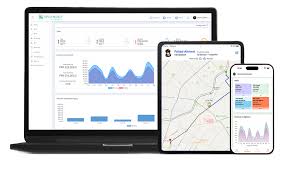
Choose visibility that supports a decision: what arrived, what is usable, what is committed and which exception needs an owner. A dashboard is only useful when its definitions and update timing are clear.
Build a decision-first reporting checklist
| View | Decision it should support |
|---|---|
| Product and location | Which physical SKU and unit of measure is this? |
| Stock status | Can the quantity be sold or does it belong to a hold/order? |
| Inbound receipt | Did the expected stock arrive and were differences recorded? |
| Order and shipment | Where is the order in the agreed workflow? |
| Exception history | Who needs to investigate or approve the next instruction? |
Also ask when data updates, who can change it and how you reconcile a disagreement with the sales channel.
Use access deliberately
Agree which users need account access and who owns approvals. Match SKU and warehouse locations across connections, test sample orders and keep a route for rejected updates. Cloud access does not remove the need for an operational contact.
FlexHub: current access and planned development
Current clients continue through the existing CartonCloud portal and account reporting. The custom WMS being developed for FlexHub is a separate next phase. The website concept screens and sample data illustrate a direction rather than an available production interface.
Give the next system a better brief
- List the questions your team needs to answer daily.
- Name each data owner and required connection.
- Define SKU/case, reserved and held-stock rules.
- Identify which alerts need human review rather than automatic action.
- Validate the output against warehouse records before activation.
Start with your actual operation.
Bring the product, order or system details behind your question so the team can review the relevant scope.